

Machine Learning Models
Introduction
In this article, we will demystify the term model and explore the evolving landscape of machine learning tools. We will also cover the difference between classical models and modern LLMs and show you the tradeoffs between running models locally, in the cloud or via an API.
Picking the right ML tool for the job is where we want to get to at the end, instead of plugging everything into a ChatGPT terminal. If you're a software developer, system architect or tech-curious builder wondering how to integrate ML wisely, this is for you.
There is also a heavy focus on examples in Python. If you don't know Python, do still read on. Hopefully you'll get inspired to learn it as well as discovering the underpinnings of modern AI.
Resources / TLDR
Communities
- Kaggle — The largest AI and ML community
- Hugging Face — The platform where the machine learning community collaborates on models, datasets and applications
Tools
- Open Router Models — Access any hosted LLM model from one interface
- Github Models — Find and experiment with AI models for free
- Jupyter — ML engineers and data scientists use this to write Python code that interfaces with ML models
- PyTorch, TensorFlow and JAX — The backbone of modern AI
- scikit-learn — Python library for building most types of ML model
Learning
- W3Schools Machine Learning course
- Google Machine Learning Education
- StatQuest YouTube channel — The best beginner-friendly ML YouTube channel
- Free ML courses from Harvard, IBM and FreeCodeCamp
What is a Model?
In Machine Learning, a model refers to a mathematical construct trained to make decisions or predictions based on input data. Once you've trained or created a model, you can use it to create new data or predictions from an input it's never seen before.
GPT, Gemini and Claude are examples of Large Language Models and are perhaps the most well-known type of ML model by the general public. However, these are very extreme examples and represent the high end in a spectrum of model complexity.
Before AI became known for chatbots and image generators, professionals who dealt with data (such as data scientists) used, and still do use, a variety of machine learning models to make predictions, detect patterns or sort information. These models were usually small, focused and trained on structured data like spreadsheets or databases.
Types of ML Models
1. Linear Models — The Straight-Line Thinker
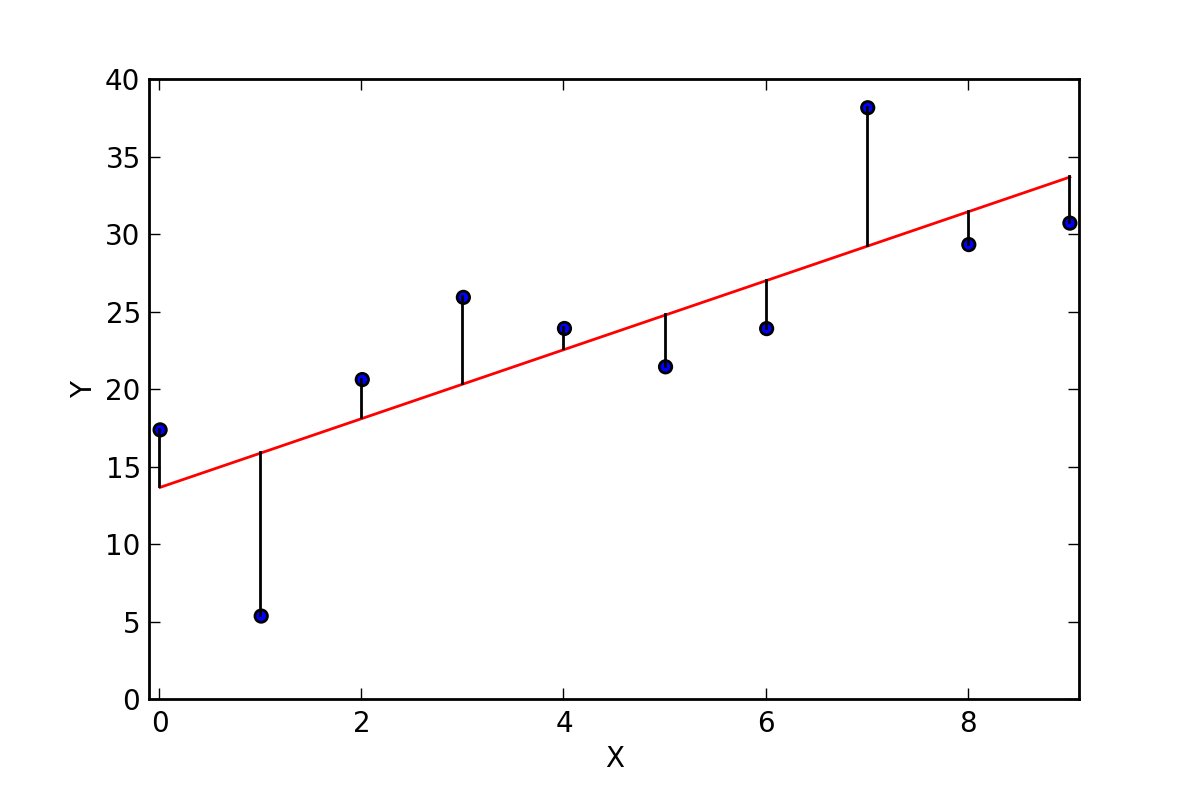
Draws a line or curve through data points to spot trends and make predictions.
- Used for: Forecasting sales, predicting prices
- Strength: Simple, fast, easy to interpret
- Weakness: Can't handle complex relationships
2. Decision Trees — The Flowchart Brain
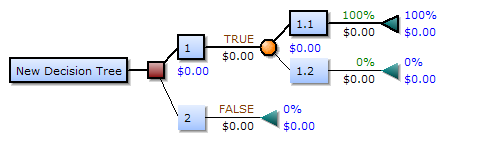
Asks a series of yes/no questions to make a decision.
- Used for: Loan approval, medical diagnoses
- Strength: Easy to understand and explain
- Weakness: Can overfit and make decisions that don't generalise
3. Random Forests — The Crowd of Flowcharts
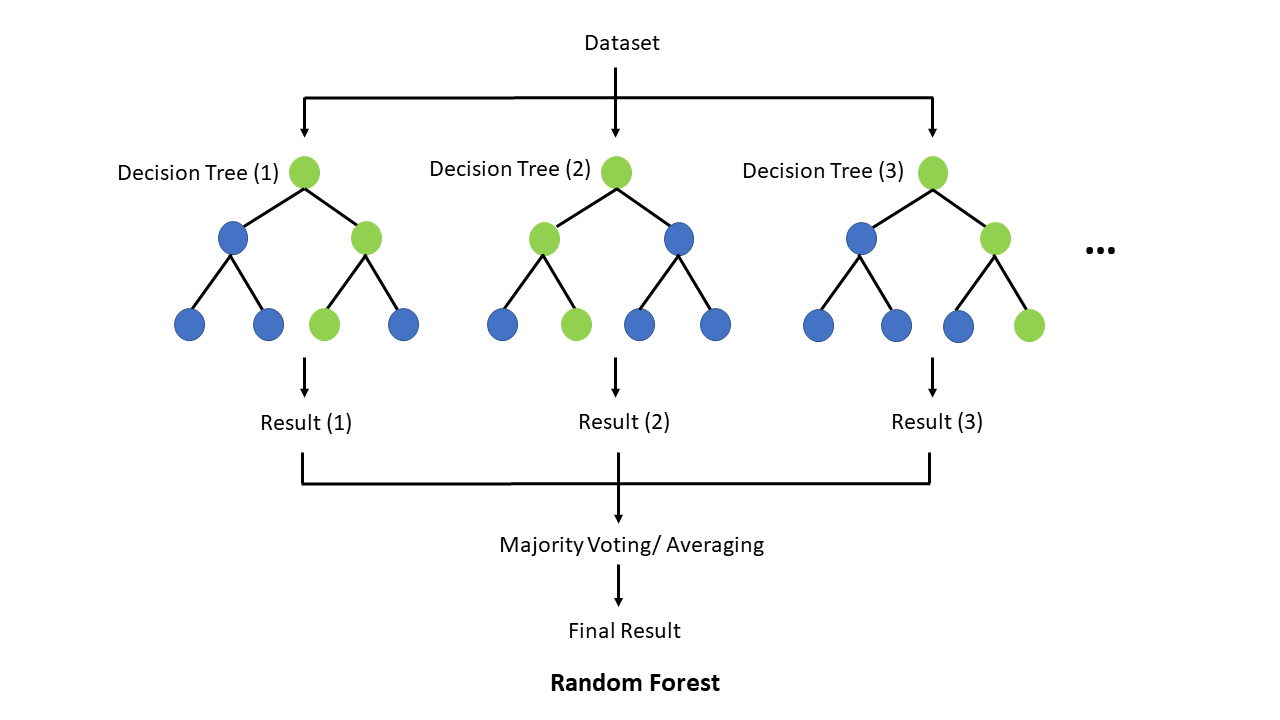
Builds many decision trees and combines their answers to improve accuracy.
- Used for: Risk scoring, product recommendations
- Strength: More accurate and robust
- Weakness: Harder to explain decisions
4. Clustering Models — The Natural Group Finder
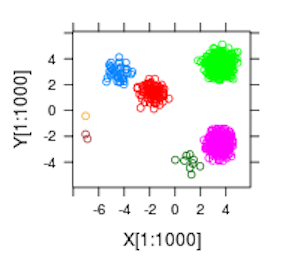
Groups similar things together without knowing the labels ahead of time.
- Used for: Customer segments, user behaviour patterns
- Strength: Great for discovery
- Weakness: Can be sensitive to noise or unclear groups
5. Naive Bayes — The Probability Calculator
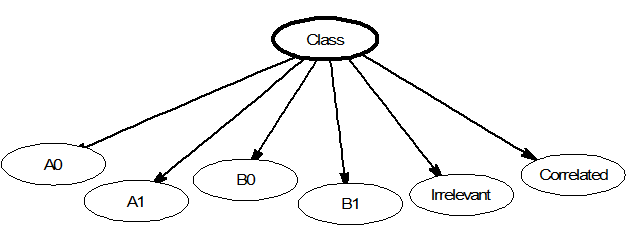
Makes predictions based on how likely something is, given past data.
- Used for: Spam filters, topic classification
- Strength: Very fast
- Weakness: Can oversimplify complex problems
6. Support Vector Machines (SVMs) — The Border Drawer
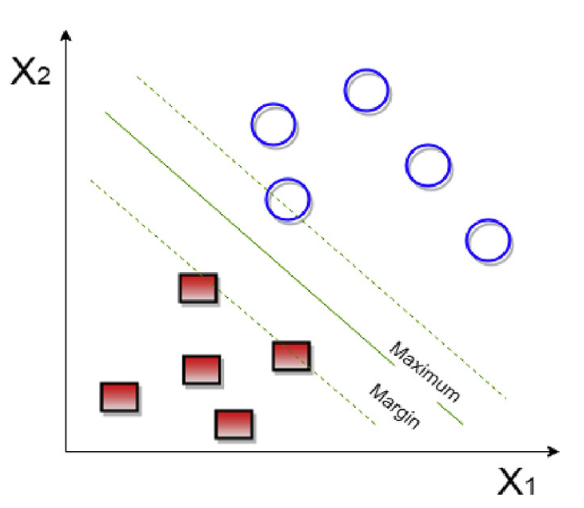
Draws the best dividing line between different categories in your data.
- Used for: Image classification, face detection
- Strength: Precise with clean data
- Weakness: Not great with lots of messy or overlapping data
7. Neural Networks — The Brain-Inspired Pattern Learner
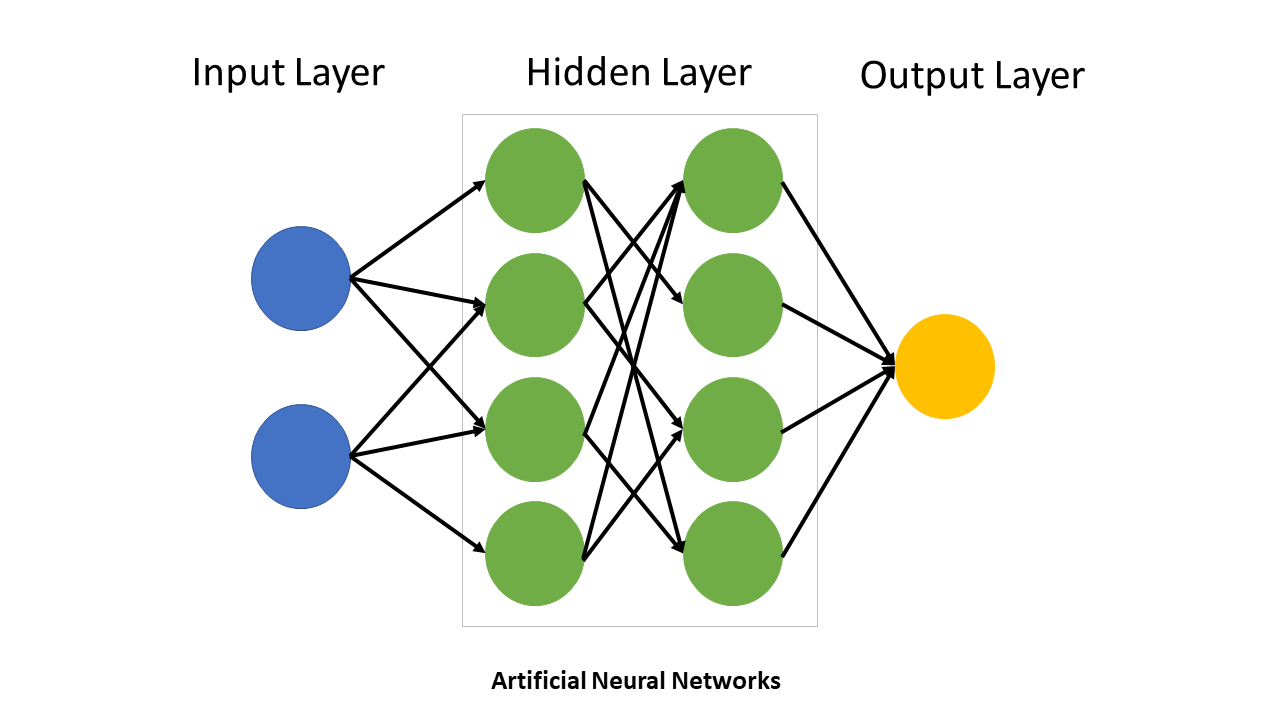
Mathematical models inspired by biological neural networks, consisting of interconnected nodes organised in layers that process and transform input data.
- Used for: Pattern recognition, classification, prediction
- Strength: Can learn complex relationships
- Weakness: Need careful tuning, can be unstable
8. Deep Learning — The Advanced Pattern Master
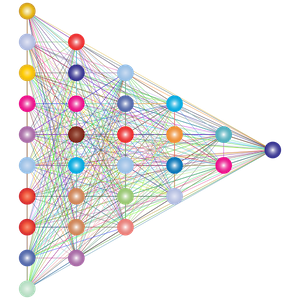
Deep learning refers to neural networks with many layers. These additional layers allow the network to learn increasingly complex features from data automatically. LLM models such as GPT and Gemini fall into this category.
- Used for: Computer vision, language models, speech recognition
- Strength: Learns complex patterns automatically, state-of-the-art performance
- Weakness: Needs massive data/compute, complex to train, black box behaviour
Summary
| Model Type | Example Use Case | Can it Handle Complex Data? | Needs Lots of Data? | Easy to Understand? |
|---|---|---|---|---|
| Linear Model | Predicting house prices | No | No | Yes |
| Decision Tree | Loan approval | Some | No | Yes |
| Random Forest | Fraud detection | Yes | Medium | Kind of |
| Clustering | Market segmentation | Some | Medium | Sometimes |
| Naive Bayes | Spam detection | No | No | Yes |
| SVM | Face detection | Yes | Medium | No |
| Neural Network | Voice or image recognition | Yes | Yes | No |
| Deep Learning (Transformers, CNNs) | Language, vision, etc. | Yes | Yes (lots) | Very hard |
Choosing the Right Model for the Job
If your data is structured (tables, numbers, categories):
Use classical ML models like Logistic Regression, Decision Trees / Random Forests or XGBoost / LightGBM.
- Predicting churn from customer data
- Scoring leads in a CRM
- Classifying transactions as fraud or not
| Pros | Cons |
|---|---|
| ✅ Fast | ❌ Not great for messy or unstructured input |
| ✅ Explainable | |
| ✅ Can run locally |
If your input is text and the output is a simple label:
Use smaller NLP models (not full LLMs) like RoBERTa, DistilBERT or fastText.
- Categorising support tickets
- Sentiment analysis
- Spam detection
| Pros | Cons |
|---|---|
| ✅ Lightweight and fast | ❌ Doesn't generate language, just classifies |
| ✅ More accurate than rule-based approaches |
If you're working with images or video:
Use vision models like ResNet / MobileNet / EfficientNet (classification), YOLO / Detectron2 (object detection) or CLIP / BLIP (image + text tasks).
- Classifying product images
- Detecting objects in video feeds
- Matching images to text descriptions
| Pros | Cons |
|---|---|
| ✅ Purpose-built and efficient | ❌ Needs labelled image data to train |
| ✅ Can run on phones or edge devices |
If your input is audio or speech:
Use audio models like Whisper (speech-to-text), wav2vec2 (speech recognition) or TTS models.
- Transcribing calls or meetings
- Building voice-controlled interfaces
- Generating spoken output from text
| Pros | Cons |
|---|---|
| ✅ Good open-source options available | ❌ Audio data can be large and tricky to process |
| ✅ Works well offline |
If you need language generation, summarisation or reasoning:
Use large language models like GPT / Claude / Gemini via commercial APIs or LLaMA / Mistral / Phi as open-source options.
- Summarising a legal document
- Explaining code
- Writing email drafts or documentation
- Chatbots with memory and logic
| Pros | Cons |
|---|---|
| ✅ Extremely powerful | ❌ Can be expensive |
| ✅ Very general-purpose | ❌ May hallucinate |
| ❌ Overkill for small classification tasks |
Decision Table
| Task Type | Recommended Model Type | Example Tool |
|---|---|---|
| Predict from tabular data | Decision Tree | XGBoost, LightGBM |
| Classify short texts | NLP | DistilBERT, fastText |
| Summarise/generate text | LLM | GPT, Claude, Mistral |
| Understand images | CNN | YOLO, ResNet, BLIP |
| Transcribe speech | ASR | Whisper |
| Group similar users | K-means Clustering | Scikit-learn |
| Detect sentiment in reviews | NLP | RoBERTa |
| Write SEO blog posts | LLM | GPT, Claude |
Why LLMs Aren't Always the Answer
Large Language Models are incredibly capable. They can summarise, classify, generate, reason and write code. Given that power, it's no surprise that many developers now reach for LLMs as the default tool for every ML problem.
But just because you can use an LLM doesn't mean you should.
Why Everyone's Using LLMs for Everything
- Low barrier to entry — You don't need to collect data, train anything or understand ML theory. Just write a prompt and get results.
- One tool for many tasks — You can classify sentiment, summarise articles, translate languages and chat, all from the same API.
- Faster prototyping — Especially for startups and small teams, LLMs let you get a working product today.
The Problems with Treating LLMs as a Catch-All
- Wasteful overhead — You're using a billion-parameter model to do what a 5MB model could have done. Classifying tweets as positive or negative? A fine-tuned BERT could do it faster and cheaper.
- Scaling costs — An LLM call might cost fractions of a cent, but multiply that by millions of users and you're bleeding money. Traditional models are nearly free to run once deployed.
- Latency — Even the fastest LLMs are slower than traditional models. A call to a hosted LLM takes 200ms–1s+. A local scikit-learn model returns results in milliseconds.
- Loss of specialisation — LLMs are generalists. A fine-tuned fraud detection model trained on your data will almost always beat an LLM trying to "reason" its way to a result.
- Skills atrophy — When LLMs become a catch-all, developers stop learning about classical ML, statistics and feature engineering. That's dangerous in regulated, high-stakes or performance-sensitive environments.
A Better Approach: Use LLMs for What They're Great At
Use LLMs for language understanding, generation and reasoning. Use traditional models when you want speed, predictable output, privacy, simplicity or cost-efficiency.
A good architecture might look like:
- Use LLMs at the edge to route or clean messy data
- Pass that to a lightweight classifier or ranking model
- Return a response that's fast, traceable and explainable
How to Access and Run Models
Commercial APIs
The easiest route is to use models via commercial APIs. Anthropic's Claude, OpenAI's GPT and Google's Gemini are the main options.
- ✅ Fastest time to value
- ✅ Extremely powerful models
- ⚠️ Black-box
- ⚠️ Pay-per-use, costs can scale fast
Hosting Locally
Running smaller models like Phi or Gemma on a laptop is increasingly feasible via tools like Ollama or LM Studio.
- ✅ Full privacy
- ✅ Free after setup
- ⚠️ Limited power
Hourly Cloud Compute
Platforms like RunPod and LambdaLabs let you spin up a GPU machine by the hour.
- ✅ On-demand power
- ✅ No hardware investment
- ⚠️ Pay-as-you-go can become expensive
Enterprise ML Platforms
Platforms like Amazon SageMaker and MLFlow provide integrated environments for model development, deployment and management at enterprise scale.
- ✅ End-to-end ML workflow management
- ✅ Built-in security and governance
- ⚠️ Requires enterprise licensing
Acquiring Models from Hugging Face
Hugging Face hosts a wide range of machine learning models, especially those built with PyTorch, TensorFlow and JAX. All models are free or open source, but you will need to provide the compute resource to run them.
| Model Type | Hosted on Hugging Face? | Notes |
|---|---|---|
| Transformers (LLMs) | ✅ Yes | Hugging Face's core focus (e.g. GPT-style, BERT, LLaMA) |
| CNNs for vision | ✅ Yes | Models like ResNet, YOLO and CLIP |
| Audio models | ✅ Yes | Whisper, wav2vec2, TTS |
| Small/efficient LMs (SLMs) | ✅ Yes | e.g. DistilBERT, TinyLLaMA, Phi-3 |
| Embeddings / vector models | ✅ Yes | Sentence Transformers |
| Classical ML via sklearn | ⚠️ Limited | A few examples, mostly for education |
| XGBoost / LightGBM | ⚠️ Rare | Not commonly hosted |
| Rule-based or statistical models | 🚫 Not really | Usually too simple to share as models |
Written by Daniel Ball, founder of Westsmith